
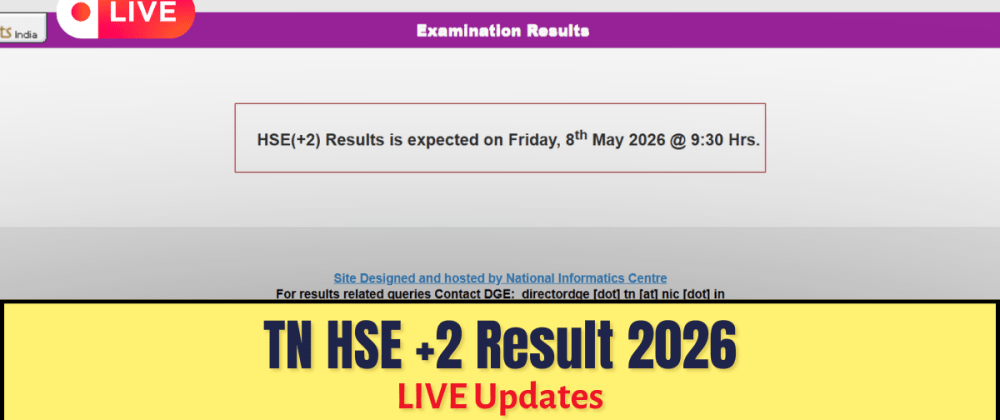

With millions of students from boards like UPMSP, CBSE, and PSEB logging in simultaneously, official result websites often crash under the load. This year, over 9.1 lakh students in Tamil Nadu and 2.84 lakh in Punjab faced this exact challenge. The government's solution, however, is already in your pocket. DigiLocker, the secure digital document wallet, is no longer just a convenience—it's an essential tool for every serious government job aspirant, providing instant access to verified marksheets and other critical documents when you need them most.
What is DigiLocker and Why It's Crucial for Aspirants?
DigiLocker is a flagship initiative of the Ministry of Electronics & IT (MeitY) under the Digital India program. It provides a secure, cloud-based platform for the issuance and verification of documents and certificates in a digital format. Think of it as a high-security digital file for your most important credentials, from your Aadhaar card and PAN card to your Class 10 and 12 marksheets.
For government job aspirants, this is a game-changer. The tedious process of carrying folders of photocopies and originals for document verification (DV) is rapidly being replaced by digital verification. Agencies like the Staff Selection Commission (SSC) and Union Public Service Commission (UPSC) are increasingly integrating DigiLocker into their application and verification processes. Having your documents ready and verified in DigiLocker means a smoother, faster, and more secure application journey. A surprising statistic reveals its scale: DigiLocker currently has over 260 million registered users, with more than 6.6 billion official documents issued.

Key Highlights of Using DigiLocker
- Instant Access: No more waiting for physical marksheets to arrive by post. Access your results the moment they are released by the board.
- Legal Validity: Documents available in DigiLocker are legally on par with original physical documents as per Rule 9A of the Information Technology (Preservation and Retention of Information by Intermediaries providing Digital Locker facilities) Rules, 2016.
- Reduced Fraud: Since documents are fetched directly from the issuer's database, the chances of forgery are eliminated. This is a critical factor for government recruitment agencies.
- Anytime, Anywhere Access: Your documents are available 24/7 on your smartphone or any computer, simplifying the process of filling out online application forms.
- Eco-Friendly: It reduces the dependency on paper, contributing to a greener administrative process.
How to Set Up Your DigiLocker Account
Getting started with DigiLocker is a straightforward process. Follow these steps carefully to ensure your account is ready for job applications and result season.
- Download the App: Visit the Google Play Store or Apple App Store and download the official DigiLocker app. Alternatively, you can visit the official website at
[digilocker.gov.in](https://digilocker.gov.in). - Sign Up: Click on 'Sign Up'. You will be prompted to enter your mobile number, which must be linked to your Aadhaar for full functionality.
- Verify with OTP: An OTP (One-Time Password) will be sent to your registered mobile number. Enter it to proceed.
- Set Credentials: Create a unique username and a secure password for your account.
- Link Aadhaar: This is the most crucial step. Provide your 12-digit Aadhaar number. You will receive another OTP on your Aadhaar-linked mobile number for verification. Once linked, many of your documents issued by government agencies will be automatically fetched.
Accessing Board Exam Marksheets: A Step-by-Step Guide
Once your account is set up, here’s how you can fetch your academic records, using the recent board results as an example:
- Log in to your DigiLocker account.
- On the dashboard, find the 'Search Documents' section.
- Click on the 'Education' category or type the name of your board (e.g., 'Central Board of Secondary Education', 'Punjab School Education Board') in the search bar.
- Select the specific document you need, such as 'Class X Marksheet' or 'Class XII Pass Certificate'.
- You will be asked to provide details like your Name, Roll Number, and the Year of Examination. Ensure these match the details on your admit card.
- Click 'Get Document'. DigiLocker will fetch the document from the board's database and save it to your 'Issued Documents' section. You can now view, download, or share it anytime.
Recent Board Results (2026) on DigiLocker
Several major boards have already made their 2026 results available through the platform, preventing website crashes and providing immediate access to lakhs of students.
| Board Name | Examination | Result Date | Approx. Students Benefited |
|---|---|---|---|
| UPMSP (UP Board) | Class 10th & 12th | April 23, 2026 | Over 55 Lakh |
| TNDGE (Tamil Nadu) | Class 12th (HSE +2) | May 8, 2026 | Approx. 9.1 Lakh |
| PSEB (Punjab Board) | Class 10th | May 11, 2026 | Over 2.84 Lakh |
| CBSE | Class 10th & 12th | Official details are awaited | Over 38 Lakh |
Discussion Question: Have you ever faced issues with physical document verification during a government job application? Share your experience and how DigiLocker could have helped in the comments.
Expert Analysis: The Future of Job Applications
The adoption of DigiLocker by examination bodies and recruitment agencies is a significant step towards a truly digital India. For job aspirants, it streamlines one of the most stressful parts of the recruitment cycle: document verification. When you apply for a job that has DigiLocker integration, you can directly grant the recruiting agency permission to view your verified documents. This eliminates the need to upload scanned copies, which can be rejected for poor quality, and removes the hassle of carrying originals to verification centres.
This system operates on an 'issuer' and 'requester' model. Your board (like CBSE) is the 'issuer', and the recruiting agency (like RRB) is the 'requester'. This secure, consent-based exchange of authentic documents is the future of transparent and efficient recruitment.
What if my Aadhaar is not linked to my mobile number? My school/board is not listed. What should I do? What's the difference between 'Issued Documents' and 'Uploaded Documents'?FAQs
Is a DigiLocker marksheet valid for college admissions and job applications?
Yes. As per the Information Technology Act of 2000, digitally signed documents issued into DigiLocker are treated at par with original physical documents.
You can still create a basic DigiLocker account using just a mobile number. However, to link your Aadhaar and automatically fetch documents from government issuers, the mobile number must be linked with your Aadhaar.
DigiLocker is continuously onboarding new partners. You can check the 'Partners' section on their website. If your board isn't listed, you can reach out to them and request that they integrate with the DigiLocker platform.
'Issued Documents' are e-documents pulled directly from the original databases of government departments (e.g., CBSE, Income Tax Dept, UIDAI). These are authentic and legally valid. 'Uploaded Documents' are documents you scan and upload yourself. These do not have the same legal validity and are for personal storage only.
Next Steps
Don't wait until the day of your next exam result or job application deadline. If you haven't already, set up your DigiLocker account today. Link your Aadhaar, explore the 'issuer' partners, and fetch all available documents. Having your verified digital copies of marksheets, identity proofs, and other certificates ready will give you a significant advantage in the competitive world of government jobs.
What is the one document you wish was available on DigiLocker to simplify your exam application process? Let us know your thoughts in the comments section below!



Top comments (0)